


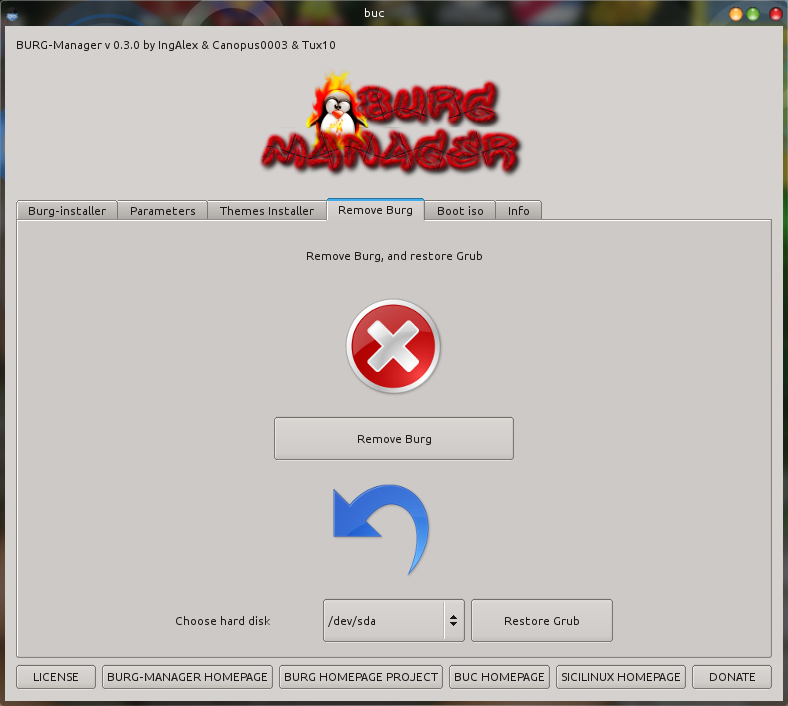
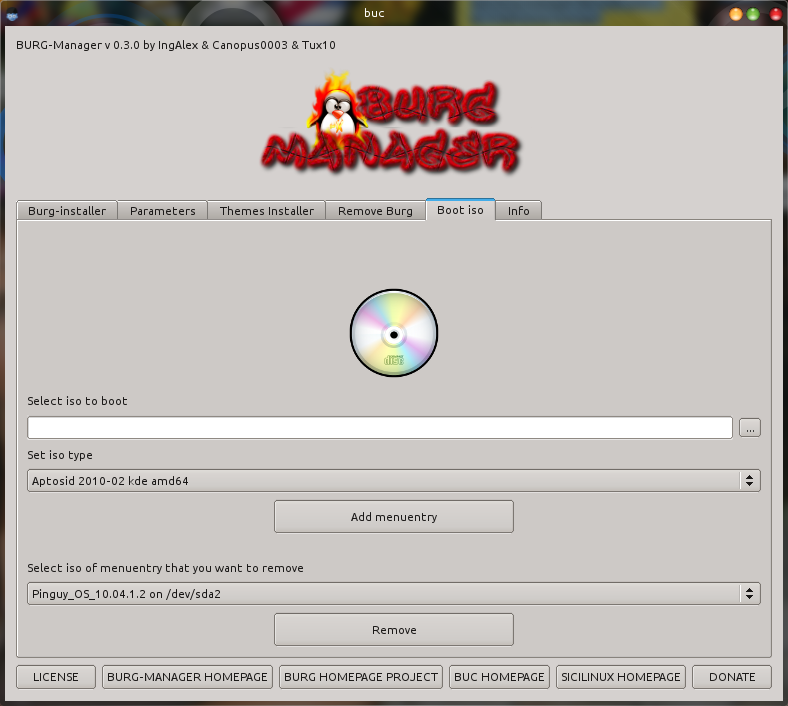
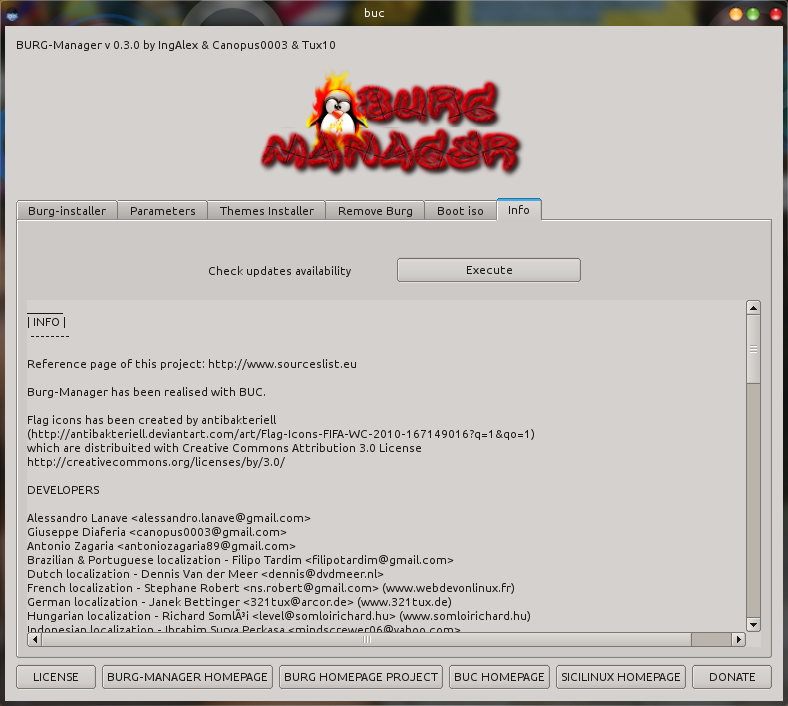
| Arch | Name | Version | Download | Downloads |
| i386 | burg-manager | 1.0.0 |  |
|
| amd64 | burg-manager | 1.0.0 | |
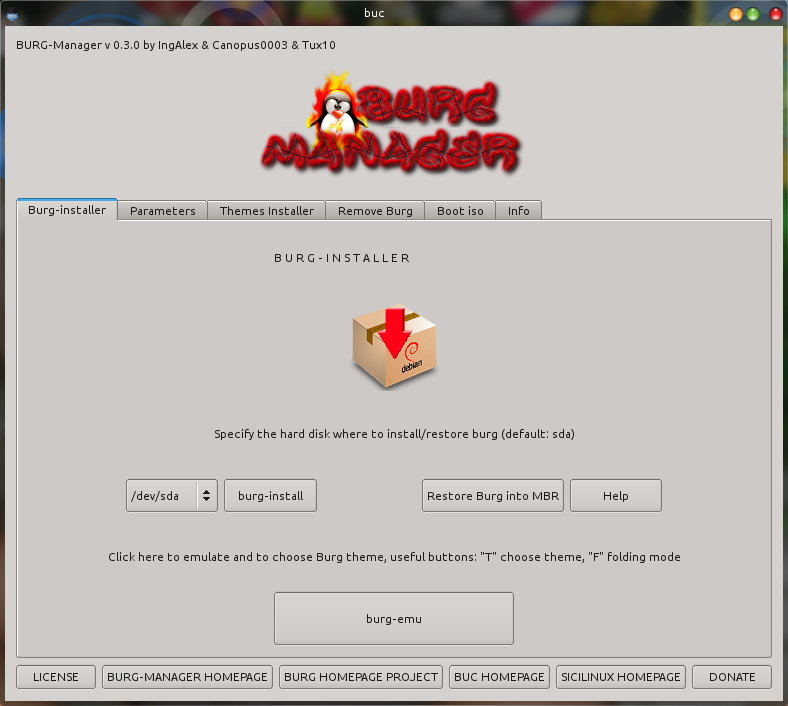
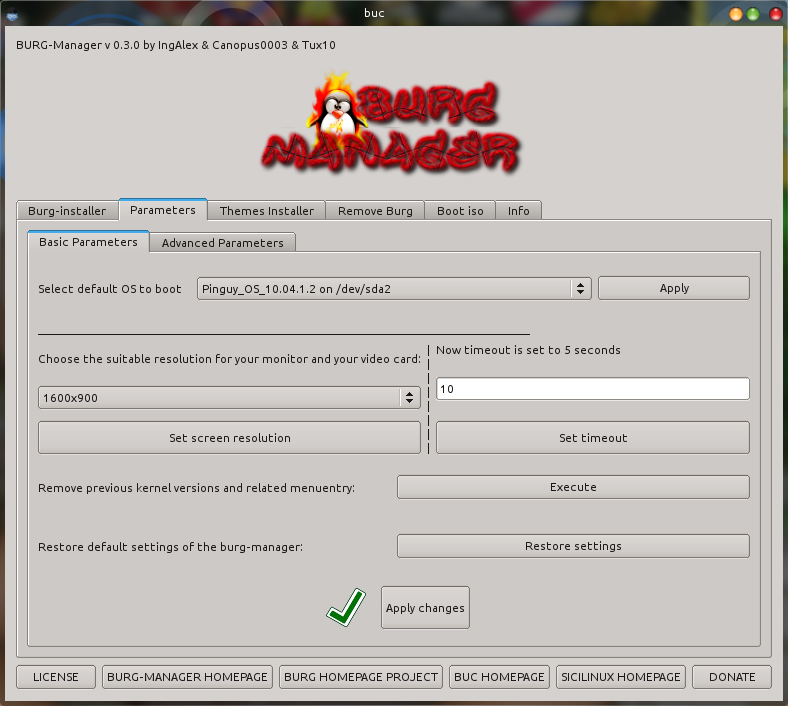
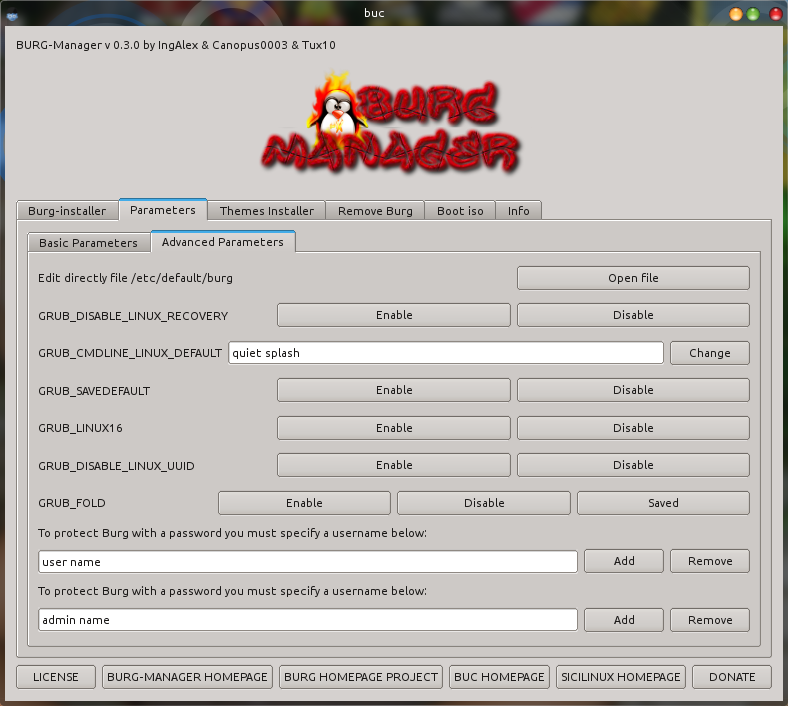
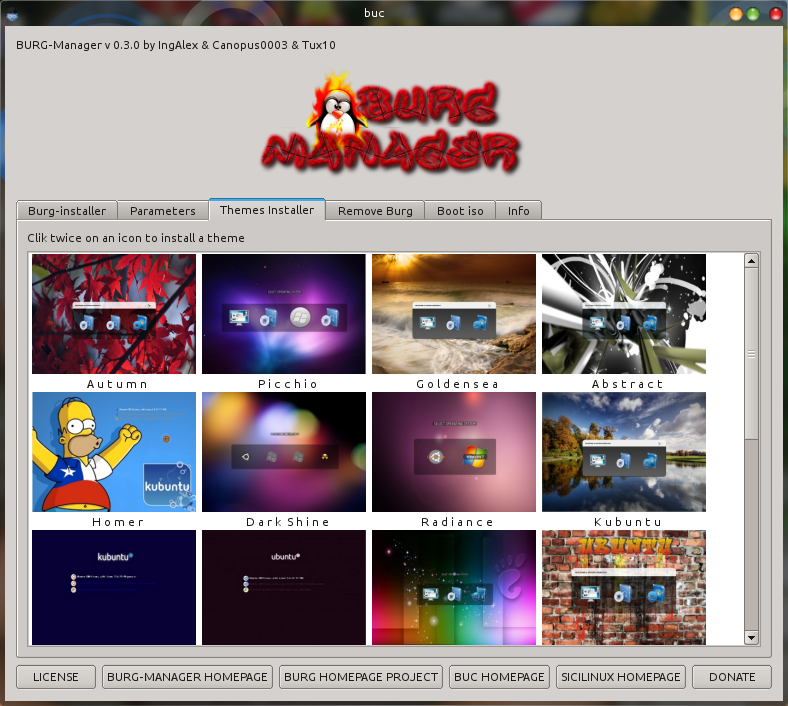
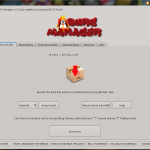
After more than 20000 downloads in a few months, today 12 november 2010 we have released version 1.0.0 of Burg-manager. It has been created by myself Ingalex in cooperation with Canopus0003 and Tux10, this version of the Burg-manager has a long series of innovations. We have fixed some bugs that we found, and we have added new features, and also we have improved some existing functionalities . Among the notable changes we can mention:
- Added new tab “boot iso” to add some menuentry to boot iso linux distribution directly from burg
- Joined “Basic Parameters” tab and “Advanced Parameters” tab into “Parameters” tab
- Added a function to restore burg into MBR after a kernel upgrade
- Added a button to remove old kernel and related menuentry
- Added a button to restore burg-manager setting to the first time which has been executed
- Added new themes to “Themes installer” tab
- Added a live updater and notificator
- Applied some bugfixes
I remember that burg-manager has been translated to different languages:
- portuguese-Brasil
- portoghese-Portugual
- dutch
- french
- english
- romanian (incompleted, not received yet for 1.0.0 version)
- spanish
- swedish
- german
- hungarian
- polish
- swedish
- indonesian
In this regard I take this opportunity to thank all those who have made the various localization:
- Brazilian & Portuguese localization – Filipo Tardim
- Dutch localization – Dennis Van der Meer
- French localization – Stephane Robert
- German localization – Janek Bettinger
- Hungarian localization – Richard Somlói
- Indonesian localization – Ibrahim Surya Perkasa
- Polish localization – Piotr Boruta
- Spanish localization – Bernardo Miguel Savone
- Swedish localization – Robert Blomqvist
- Romanian localization – Marius Bob
Currently Buc doesn’t support UTF-8, so we found several problems inserting some locations such as traditional Chinese and others.
If you have any solution to this problem please contact us.
Regarding the installation of the burg-manager you can refer to this guide.
If the Burg-manager has not yet been translated into your language and you want to collaborate to translation please contact me.
We have planned that into burg-manager next release will be added also the features to download iso if you don’t have downloaded it first, so user have not to search it on the web. Possibility to boot other iso will be added. If you are able to boot other iso using burg, please send to me the correct menuentry parameters, so i can add it to the burg-manager.
Then we want to expand burg-manager feature and we want to create a sort of boot-manager to manage and configure burg, grub and plymouth.
In addition I would remind that soon will be released also gambas porting of Burg-manager which has been started by Mefrio, Tux10 and Davide Fresilli.
If you have any suggestions about new features to implement in the burg-manager, or if you want to give advice on how to improve it, you can express your opinion by the comments.
Known Issues
If you have already installed any previous version of burg-manager and now you have installed version 1.0.0, if burg-manager doesn’t start, purge it executing:
sudo apt-get purge burg-manager
sudo rm -rf ~/.burg-manager
sudo rm -rf /root/.burg-manager
Then reinstall it:
sudo dpkg -i burg-manager*







Ho eseguito l’aggiornamento da repository ma la nuova versione non mi funziona.
Mi compare la finestra di richiesta della password da amministratore con la scritta “please type root password” ma poi non succede niente.
Avviato da terminale non mi restituise nessun errore, ma il programma non ne vuole sapere di partire.
La vecchia versione mi ha sempre funzionato senza problema…
Si è un problema noto. In pratica siccome abbiamo cambiato molte cose in questa ultima versione bisogna cancellare i file di configurazione della versione precedente. Ti basta eseguire da terminale
sudo apt-get purge burg-manager (per purgare la versione precedente)
sudo rm -rf ~/.burg-manager
sudo rm -rf /root/.burg-manager
sudo dpkg -i burg-manager* (per reinstallare la nuova versione, oppure puoi installare sempre tramite repository con apt)
Adesso funziona tutto senza problemi!
Grazie mille!
Di niente! A buon rendere 🙂
[…] Importato da: http://www.sourceslist.eu […]
[…] da titolo la nuova resele di Burg-Manger è finalmente stata […]
[…] Vía | Web Upd8 Descarga | BUC Descarga | Burg Manager […]
[…] Vía | Web Upd8 Descarga | BUC Descarga | Burg Manager […]
[…] Vía | Web Upd8 Descarga | BUC Descarga | Burg Manager […]
[…] Vía | Web Upd8 Descarga | BUC Descarga | Burg Manager […]
[…] Vía | Web Upd8 Descarga | BUC Descarga | Burg Manager […]
[…] you’ll have to download and install BUC. And finally you’ll be able to download Burg Manager 1.0 from its author blog and install it. For a complete how-to on using Burg Manager, see our […]
[…] Vía | Web Upd8 Descarga | BUC Descarga | Burg Manager […]
[…] V?a | Web Upd8 Descarga | BUC Descarga | Burg Manager […]
[…] ابتدا باید BUC را دانلود و نصب کنید. پس از آن Burg Manager را دانلود و نصب کنید. برای یک آموزش کامل اینجا را ببینید. در صورت […]
[…] Download .deb files @ sourceslist.eu/burg-2/burg-manager/ […]
[…] graphical BURG boot-loader tool ‘BURG Manager’ has been updated to version […]
[…] BUC ,再到这里下载 BURG Manager 1.0 DEB […]
[…] BUC ,再到这里下载 BURG Manager 1.0 DEB […]
[…] di mantenerne le qualita’ con l’aggiunta di livello di personalizzazione elevato. Questa release e’ davvero notevole, accanto alla consueta correzione di bug e ci sono diverse nuove […]
I don’t know, we haven’t never tried it before. Sorry 🙁
Should this work with dual displays? I’ve got 17″ and 22″ monitors attached, and no luck so far with burg.
I don’t know what can cause this problem. Try to execute from terminal:
sudo burg-manager
And see what is the output error.
@ Roamer Said On 18-11-2010
————————————–
Yes, I do have that problem. What you have to do is, first open any root programs like synaptic package manager and close it. Then start BURG-manager. It will start.
Hi, I installed themes via theme installer, but still I can see only the default themes that comes with BURG. How to install the extra themes that is shown in themes installer.
Also, my monitor resolution is 1440*900. When I set that resolution in BURG manager and after that when I reboot, it says “frequence out of range” and boots to ubuntu. It works only when the 1280*1024 resolution.
Have a slight issue. Burg Manager is not starting.
I purged the old install as instructed, I reinstalled, still no luck. :/
OS: Ubuntu 10.10 64 bit.
To update burg themes list execute: “sudo update-burg” from ubuntu terminal.
About resolution You have to know that resolution proposed by burg-manager are obtained by xrandr command which give all resolution supported by your video card, but some of these are not supported by burg. To see All resolution supported by burg You Have to execute:
vbeinfo
from burg console accessibile pressing “c”
After updating and purging, can only select the old themes.
[…] Setelah itu anda bisa mendownload BUC dan Burg Manager. [BUC] [Burg Manager] […]
[…] gaseste aici. This entry was posted in – ubuntu programe. Bookmark the permalink. ← Penguspy – […]
[…] is an installation guide here, you can resort to it or you can follow the instructions below (for 32 bit Ubuntu 10.10 based on […]
Excellent tool, thank you. And also thank you for the nice themes that you made available,
I would be great if Burg-manager could also be used to un-install themes.
Installed latest version in 11.04. Starts ok but no text on the buttons??
if you open file ~/.burg-manager/language it’s empty? I’ve not tested burg-manager with k/ubuntu 11.04 but i’ve experienced any problem with burg-emu on Kubuntu 11.04
[…] Πρέπει να πάτε και στη σελίδα του δημιουργού του Burg Manager,ώστε να δείτε περισσότερα.Έχει φτιάξει κι’ ένα φοβερό βιντεακι! […]
Hi!
I want to restart in Win7 (burg-reboot) but it doesn’t work.
#!/bin/bash
gksu burg-reboot 2
gksu reboot
Tried also with with grub-reboot and/or with the menu entry name – with no luck.
Best regards!
sorry i haven’t tried it. i don’t know. do you have some error?
SOLVED!
I had forgotten to set “GRUB_DEFAULT=saved” in /etc/default/burg! (only did it in /etc/default/grub)
THX, now it’s working fine.
Best regards.
Good! It can be usefull for other people 🙂
[…] sudo rm -rf ~/.burg-manager sudo rm -rf /root/.burg-manager 点击这里下载依赖组件 BUC ,点击这里下载 BURG Manager 1.0 DEB 包进行安装。 #项目主页: […]
[…] στη σελίδα του δημιουργού του Burg Manager, ώστε να δείτε περισσότερα. […]
Hi there , i has installed burg-manager and buc (super boot manager)
and the buc , ask for a “mc file” ??? someone know from where i can get it ???
Thank you by any help you can give me :=)
[…] farlo installiamo BUC da QUESTA pagina e poi scarichiamo e installiamo Burg Manager 1.0 da QUESTA […]